
Why Google Business Profile Gets Suspended

We got it.
Thank you for contacting us.We’ll get back to you as soon as possible.
Your Google Business Profile (GBP) is essential for appearing in Google Maps and local search results. It helps businesses attract calls, website visits, and local customers.
However, many businesses suddenly find their Google Business Profile suspended, causing their listing to disappear from Google Search and Maps.
This usually happens when a profile violates Google Business Profile policies or guidelines. If a listing does not follow Google’s rules, Google may disable or suspend it to maintain accurate business information for users.
In this article, we explain the most common reasons Google Business Profiles get suspended and how to avoid them.
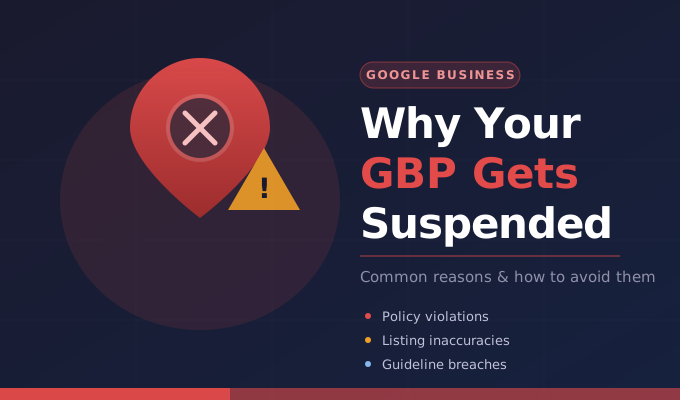
What Is a Google Business Profile Suspension?
A Google Business Profile suspension occurs when Google disables a listing due to policy violations, suspicious activity, or inaccurate business information.
According to Google, profiles may be suspended when they don’t follow the official Business Profile guidelines.
When a profile is suspended:
- The business may disappear from Google Search and Maps
- Owners cannot manage the profile
- Customers cannot find the business online
To avoid suspension, businesses must follow the official Google Business Profile guidelines:
Top Reasons Google Business Profiles Get Suspended
Below are the most common reasons businesses experience a Google Business Profile suspension.
1. Using an Ineligible Address
Google requires businesses to provide a real and accurate address.
Businesses may be suspended for using:
- PO boxes
- Virtual offices
- UPS mailbox addresses
- Shared coworking spaces without permanent offices
Google requires that business information be accurate and reflect real-world locations.
2. Keyword Stuffing the Business Name
Adding keywords to your business name is one of the most common reasons for suspension.
Example:
- Incorrect
- “Dallas Best Emergency Locksmith 24/7 Cheap Locksmith”
- Correct
- “ABC Locksmith”
Google requires that the business name match the real-world business name used on signage and branding.
3. Multiple Listings for the Same Business
Google allows only one Business Profile per business location.
Creating multiple listings for the same location may lead to suspension.
Google states that there should only be one profile per business location to avoid confusion in Search and Maps.
4. Incorrect Business Information
Providing misleading or inaccurate information can trigger a suspension.
Examples include:
- Wrong business category
- Incorrect phone number
- Fake address
- Inconsistent business details
Google requires businesses to represent themselves accurately and honestly on their profile.
5. Frequent Profile Edits
Making too many changes to your profile can trigger Google’s spam detection system.
Risky changes include:
- Changing business name
- Changing address
- Changing categories
- Changing phone numbers
Google reviews edits before publishing them to ensure they comply with guidelines.
6. Violating Content Policies
Google also has rules about what content is allowed on a Business Profile.
Violations may include:
- Misleading content
- Prohibited services
- Irrelevant descriptions
- Spam content
These policies are explained in the official Google Business Profile policy documentation.
7. Duplicate Listings
Creating duplicate listings can confuse Google’s systems and cause automatic suspensions.
Google recommends maintaining one accurate listing per business to keep data reliable across Search and Maps.
How to Avoid Google Business Profile Suspension
Always follow the official guideline documentation https://support.google.com/business/answer/3038177
Provide Accurate Business Information
- Your business name, address, and phone number should match your website and other directories.
Avoid Spam Techniques
Do not:
- Keyword stuff your business name
- Create duplicate listings
- Add fake addresses
Update Your Profile Carefully
- Avoid making multiple major edits at once.
What to Do If Your Google Business Profile Is Suspended
If your listing is suspended, you can submit a Google Business Profile reinstatement appeal.
Google provides an official reinstatement process here: https://support.google.com/business/answer/4569145
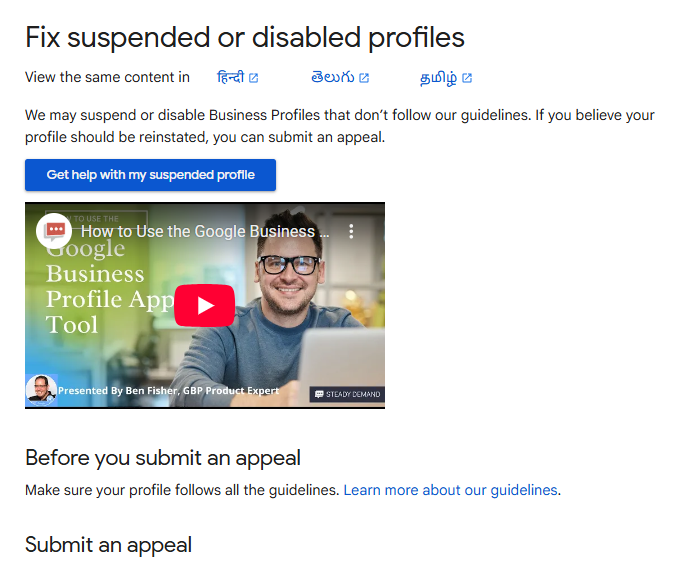
Before submitting an appeal, ensure that your profile fully complies with Google’s policies.
Final Thoughts
A Google Business Profile suspension can significantly impact your local search visibility and customer leads.
The best way to avoid suspension is to:
- Follow Google Business Profile policies
- Maintain accurate business information
- Avoid spam or manipulation tactics
If your profile is suspended, carefully review the official guidelines and submit a proper reinstatement request.